
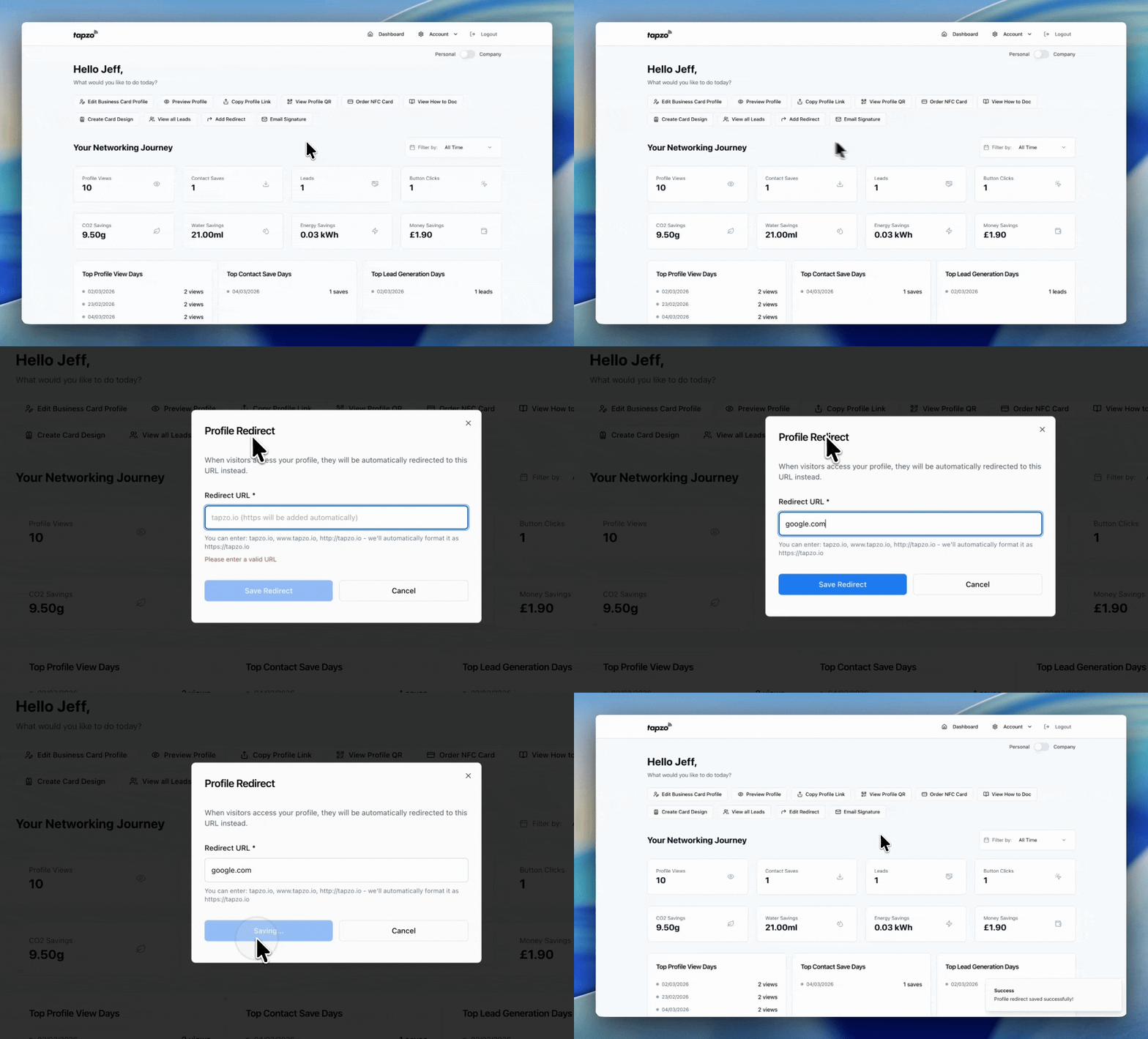



With Tapzo Pro, you can choose to send people straight to a specific URL instead of your digital business card profile.
When someone scans your Apple Wallet card, Google Wallet card, QR code, or taps your NFC card, they will skip your profile and be redirected directly to your chosen link, such as your website, booking page, portfolio, or latest campaign.
Having people land on your digital business card profile may not always work for you.
Use a redirect when you want your digital business card to send people straight to a specific link, such as your website, booking page, portfolio, or campaign, without them needing to view your full profile first.
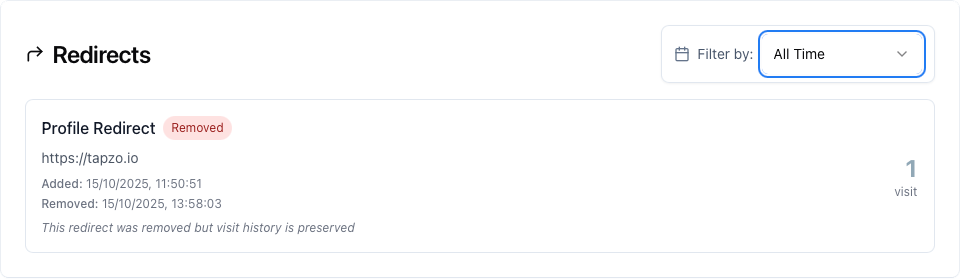
Redirect analytics show how many people visit your digital business card when a profile redirect is active.
If you send visitors straight to another URL, such as your website, booking page, or landing page, Tapzo tracks those visits so you can still understand how your card is performing.
Historical analytics are also preserved, even if a redirect is later removed.
Build your profile, save it to your phone’s Wallet, and start sharing your details instantly. Upgrade to Pro only when you want more control.